
Hinge Activation OTP Code: a practical buyer’s guide for daily life
Clear guide to understanding Hinge Activation OTP Code, comparing sources, risks, and steps to verify safety in everyday dating and online interactions.

When you encounter an OTP code request on Hinge or related apps, you want a straightforward way to handle it. This guide explains what the activation code is for, how it works, and when to worry. You’ll learn practical steps to protect your information while keeping dating momentum moving forward.
OTP codes can be used to verify your identity or access features safely. This piece breaks down what to expect, common pitfalls, and user-friendly checks you can perform. By the end, you’ll know how to proceed without exposing sensitive data or losing trust.
If you’re unsure whether a request is legitimate, this guide helps you tell the difference between real activation prompts and scams. It also offers a calm, steady approach to resolving issues without rushing into risky choices.
- This guide helps you understand what Hinge Activation OTP Code is, when you should trust it, and how to stay safe.
- You’ll learn practical steps to verify requests, protect your data, and handle failures without panic.
- Use the safety practices and checklists to navigate activation prompts confidently while dating.
- The plan also contrasts app options and highlights common mistakes to prevent security slips.
Basics of activation codes
What activation codes do
Activation codes confirm your identity or grant access to a feature. They are usually sent by the app to your verified contact method and should be entered in-app, not shared elsewhere. This keeps your account tied to you and reduces unauthorized access. Hinge Activation OTP Code
In most cases, you’ll see the code appear in a brief message or notification, then you enter it on the screen shown by the app. Do not reuse codes from past prompts, as one-time use is common. If a code doesn’t work, you should request a new one rather than guessing.
- Do not share codes with anyone
- Only enter codes in the app
- Check the sender’s details
- If in doubt, reset the process
When to trust a request
Trust hinges on the source: the official app, not a link from a message. If you initiate action, a code request is typically legitimate. If you didn’t prompt anything, treat it with suspicion and verify.
Look for a familiar logo, accurate domain, and a prompt aligned to a recent action you triggered. If anything feels off, go back to the app directly rather than clicking through a message.
If you’re unsure, contact support through the app’s help section to confirm legitimacy before entering any code.
- Confirm the prompt came from the app
- Avoid clicking external links
- Use in-app help to verify
- Don’t share codes verbally over calls
Safety practices for OTPs
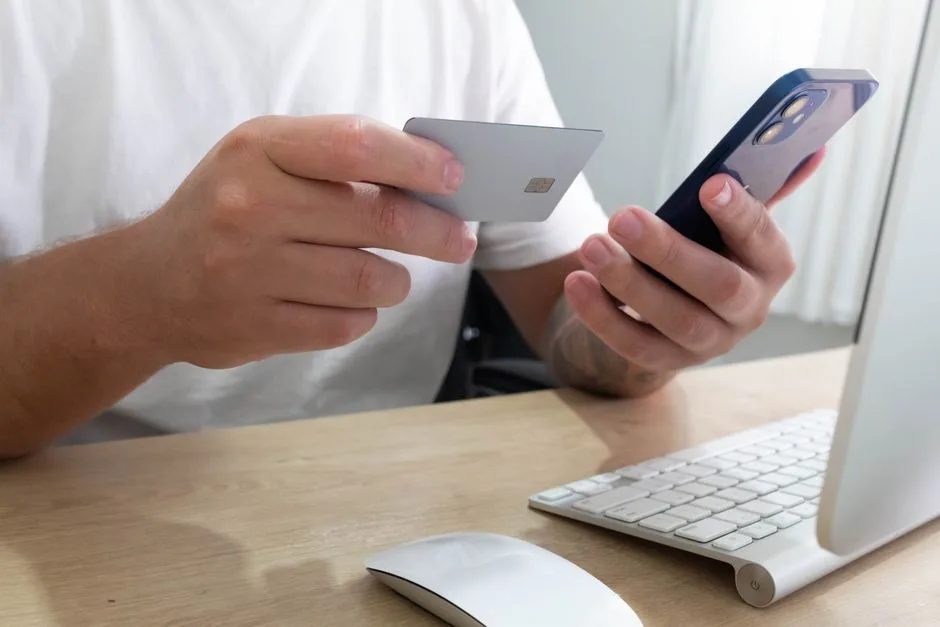
Protecting your device
Keep your phone unlocked only when needed and use biometric or passcode protection. This limits attackers from reading messages that contain codes.
Regularly update the device and apps to close security gaps. Turning on two-factor authentication for your account adds a further barrier against unauthorized access.
Be skeptical of public Wi-Fi when handling sensitive prompts; use a personal data connection or a trusted network to avoid eavesdropping.
- Use strong device lock
- Update apps weekly if possible
- Enable two-factor authentication
- Avoid public networks for sensitive tasks
Recognizing scams
Phishing prompts mimic official messages but come from unknown numbers or strange links. They often demand urgent action or financial details. Do not reply to unusual requests.
If a message asks for a code to be shared verbally or posted publicly, stop and verify through the app instead. Real prompts never require you to reveal bank or payment information.
Report suspicious prompts to the app provider and review recent account activity for anomalies.
- Watch for urgent language
- Avoid sharing codes
- Verify via the app
- Review recent activity
Practical steps for common situations
Code arrives after a new login
If you see a new login prompt, use the code to confirm your identity only on the official app. Do not enter the code on any third-party site.
- ☐ Receive prompt in app
- ☐ Enter code in app
- ☐ If not recognized, secure account
- ☐ Monitor activity
If the request seems out of sequence, back out and review your account activity for unfamiliar devices or locations.
If still unsure, log out everywhere and start a fresh login from the app’s main screen.
- Verify device list
- Check recent logins
- Use the app to reauthenticate
- Reset if suspicious
| Option | Pros | Cons |
|---|---|---|
| In-app prompts | Direct control, fewer clicks | May still prompt for code in rare cases |
| Email prompts | Familiar process | Phishing risk if not verified |
| SMS prompts | Fast delivery | SIM-swap risk; carrier issues |
Code failed or stalled
A failed code often means a network hiccup or a new session invalidation. Wait a moment, then request a fresh code rather than retrying the same one multiple times.
If the new code also fails, restart the app or device and try again from a clean slate. Persistent failures may require support.
Keep track of how many attempts you’ve made; excessive tries can trigger blocks and slow access further.
- Request new code
- Restart app
- Check network
- Contact support if needed
When comparing apps, start with a simple feature list you actually use daily.
How to compare app options

Feature comparison matrix
When comparing apps, start with a simple feature list you actually use daily. Look for core OTP or activation features that work reliably, and note any extra steps that slow you down. Test a trial period if possible and record which tasks feel easiest to complete.
Compare user experience by watching how the activation flow behaves on your device. A clean, step-by-step process reduces friction and lowers the chance of lockouts. Consider whether the app supports fallback options if a message fails to arrive.
Assess how the app protects your data during activation. Check for clear prompts that explain what data is being sent and where it is stored. Favor apps that minimize sensitive data exposure while still delivering a smooth activation experience.
- Prioritize reliability over flashy extras
- Prefer apps with clear on-screen instructions
- Check compatibility with your device and OS
- Note how quickly a verification arrives
Common mistakes to avoid
Avoid rushing the process
Rushing through activation invites mistakes. Take a moment to read prompts and confirm the code you received matches what you enter. A slow, deliberate approach reduces the odds of errors.
If a code fails, pause before retrying to avoid repeated wrong entries. Too many attempts can trigger temporary blocks and require additional verification.
Most issues come from misreading numbers or miscopying them from the message. Double-check each character before submitting.
- Don’t reuse old codes
- Don’t copy-paste blindly
- Don’t skip verification prompts
- Don’t ignore security alerts
Cost and value considerations

Balancing price with convenience
Many apps offer free activation for basic use but charge for premium security features. Weigh the convenience of quicker activation against any extra cost or subscription required.
Consider how activation ease translates into daily life benefits, such as fewer interruptions when you switch devices or services. A small upfront cost can be worth avoiding repeated friction later.
Guard against paying for features you won’t use; seek options that keep essential activation simple while offering optional enhancements.
- Free basics vs paid upgrades
- Value of faster activation
- Hidden fees to watch for
- Trial periods before committing
Advanced security tips
Strengthening account protection
Use unique, device-bound activation codes where possible to reduce the risk of reuse. Enabling two-step verification adds a second layer if a code is compromised.
Keep your recovery options up to date so you can regain access quickly without relying on a single channel. Regularly review devices connected to your account.
Be mindful of phishing messages that mimic activation prompts; always open apps directly from your device rather than following external links.
- Enable two-factor on the service
- Review connected devices regularly
- Use device-bound codes when available
- Be skeptical of unexpected prompts
Frequently asked questions
Is activation code safety more about the platform or the user?Both play a role. The platform should present clear prompts and protect data during delivery, while you as the user should handle codes promptly, avoid sharing them, and verify the app’s authenticity before entering any code. This combination reduces risk and smooths daily use.
What should I do if a code arrives but won’t activate?Double-check the code for accuracy and ensure it hasn’t expired. If it still won’t activate, request a new code and verify your account settings, including device permissions. If problems persist, contact support with details of the error. This avoids repeated failed attempts.
Can activation require more than one code per day?Yes, for certain tasks you may need a fresh code per session or per device. Use codes as directed by the app and avoid reusing old ones. Keeping a tidy flow minimizes confusion and delays.
Are there risks when switching devices?Switching devices can introduce risks if a device is compromised or not fully updated. Remove access from old devices, enable two-factor if possible, and verify new devices during setup. This preserves security without slowing routine setup.
Conclusion
A practical activation flow fits daily life when it emphasizes reliability, clear prompts, and timely action. Treat activation steps as everyday tools that keep routines running smoothly, not obstacles to your day.
Next steps: audit your apps for how they handle activation codes, disable unused devices, and enable two-factor protection where available. A small upfront check pays off through fewer interruptions later.
Readers interested in this subject may also want to explore Nazilli konut çatı GES fiyatları: bilinçli for additional perspectives.
You may also find Practical guide to solar energy at helpful as it covers related aspects of this subject.
For a deeper understanding of this topic, Aydın çatı alanına göre güneş paneli offers valuable insights worth exploring.
Add Pokémons as a preferred source on Google


